 Brams Keyboard for Android
Keys that feel real.
Brams is a keyboard in the spirit of Braun and Dieter Rams: less, but better, and easy to understand. Every key has height, shadow, sound and vibration.


How to use
Every feature in the app's Settings has its own page, with an animation and step-by-step instructions. Search, or open a menu and tap a feature.
99 featuresPress / to search
Appearance
Typing
You
Try the keyboard.
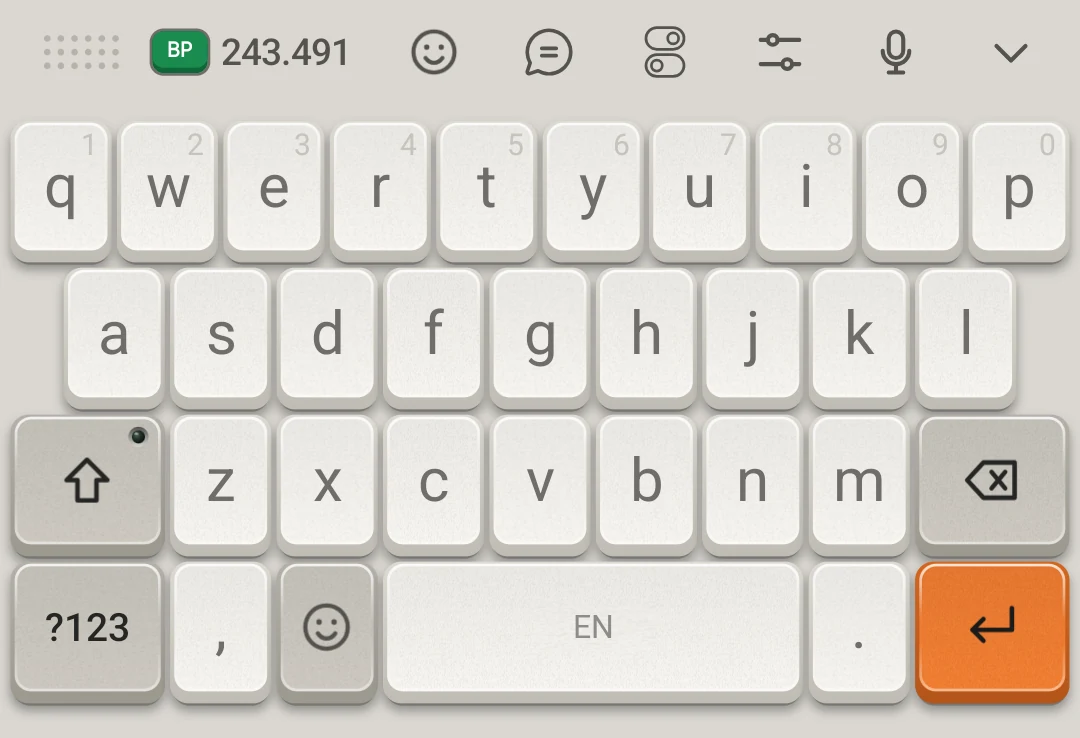
Try it: tap the letters, Shift (two taps lock Caps Lock), Delete and space.
How to use
Every feature, in motion.
The animations use the app's own keys, texts and colors. Every feature in Settings has its own page, with step-by-step instructions.
Swipe to type
- 1With Swipe to type on (the default, in Settings › Typing), open the keyboard.
- 2Put your finger on the first letter.
- 3Slide through the others without lifting.
- 4Let go: the word goes into the field and the other options go to the bar.
Internet only to download languages
Brams uses the internet only to download the languages you choose. It only downloads, and it never sends what you type.
- Autocorrect and suggestions run on your phone
- No account or sign-in needed to type
- Nothing is learned from password fields
Choose your Brams.
The full Brams, the free Lite and Blueprint, the theme community. All three are on Google Play.